Welcome to Hack The SEO
Your setup, step by step
Eleven short steps, one action each, with a screenshot of the screen you will see. Allow about 15 minutes, then about ten minutes with Claude.
- 15 min, then 10 min with Claude
- Nothing changes on your site
- Stuck? We do it together
Before you start, have these at hand
- Your Search ConsoleRequired. The Google account with access to your site's Search Console. No Search Console yet? The 5-minute setup tutorial.
- Your WordPressAdministrator access to your site.
- Your Hack The SEO accountThe one tied to your subscription.
- A Claude accountOn claude.ai or in the Claude app.
Nothing changes on your site during this setup.
The 11 steps
Click a step to jump straight to it. The Hack The SEO screens are in French for now: each button is given here with its French label, then its meaning.
-
1
Get the plugin and your key
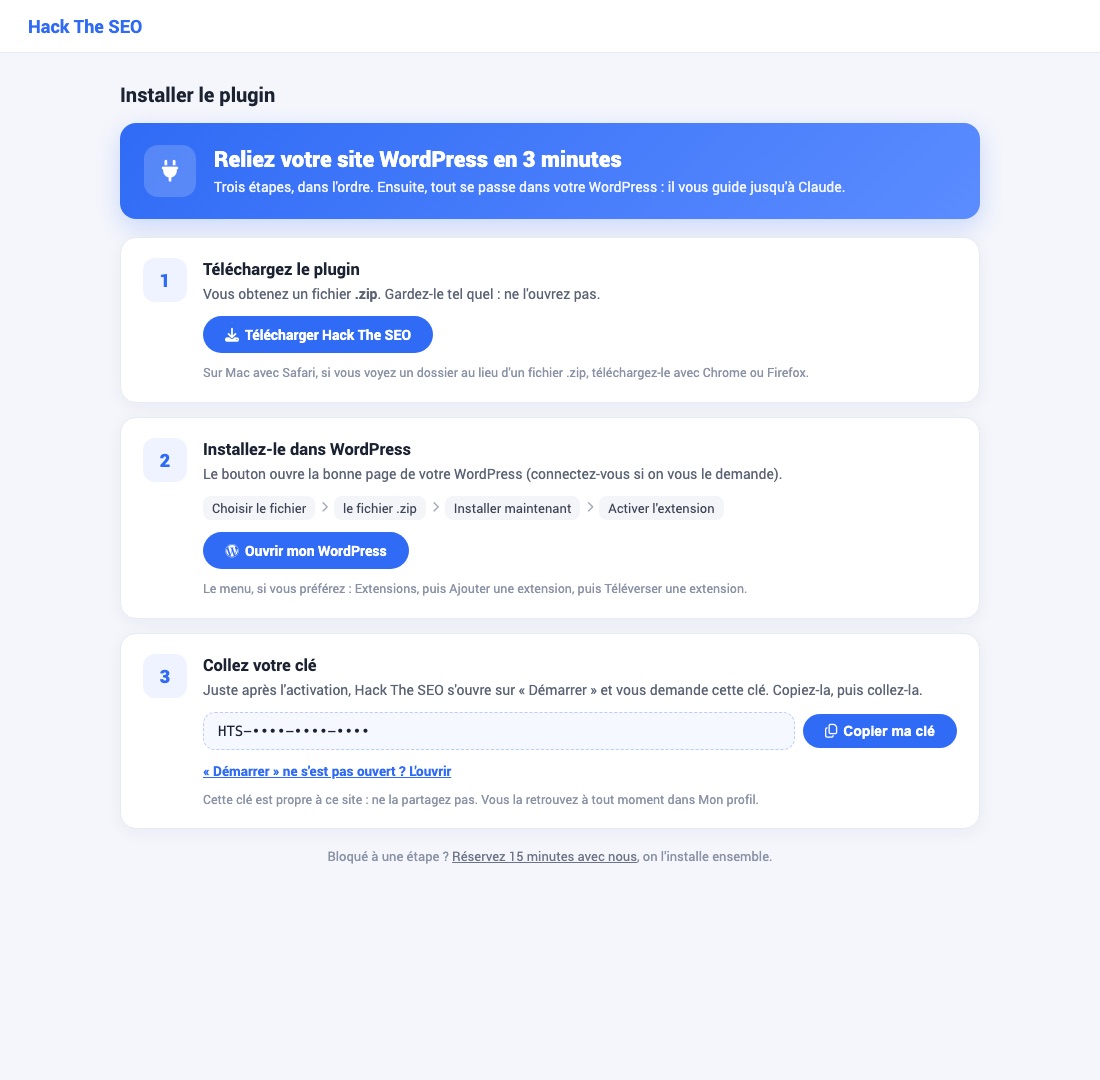
- Log in to your account: app.hacktheseo.com
- Open the Installer le plugin page (Install the plugin).
- Click Télécharger Hack The SEO (Download). You get a .zip file: do not open it, keep it as it is.
- Keep this page open: your key is at the bottom, with the Copier ma clé button (Copy my key).
Your key is personal.Do not share it.
-
2
Install the plugin in WordPress
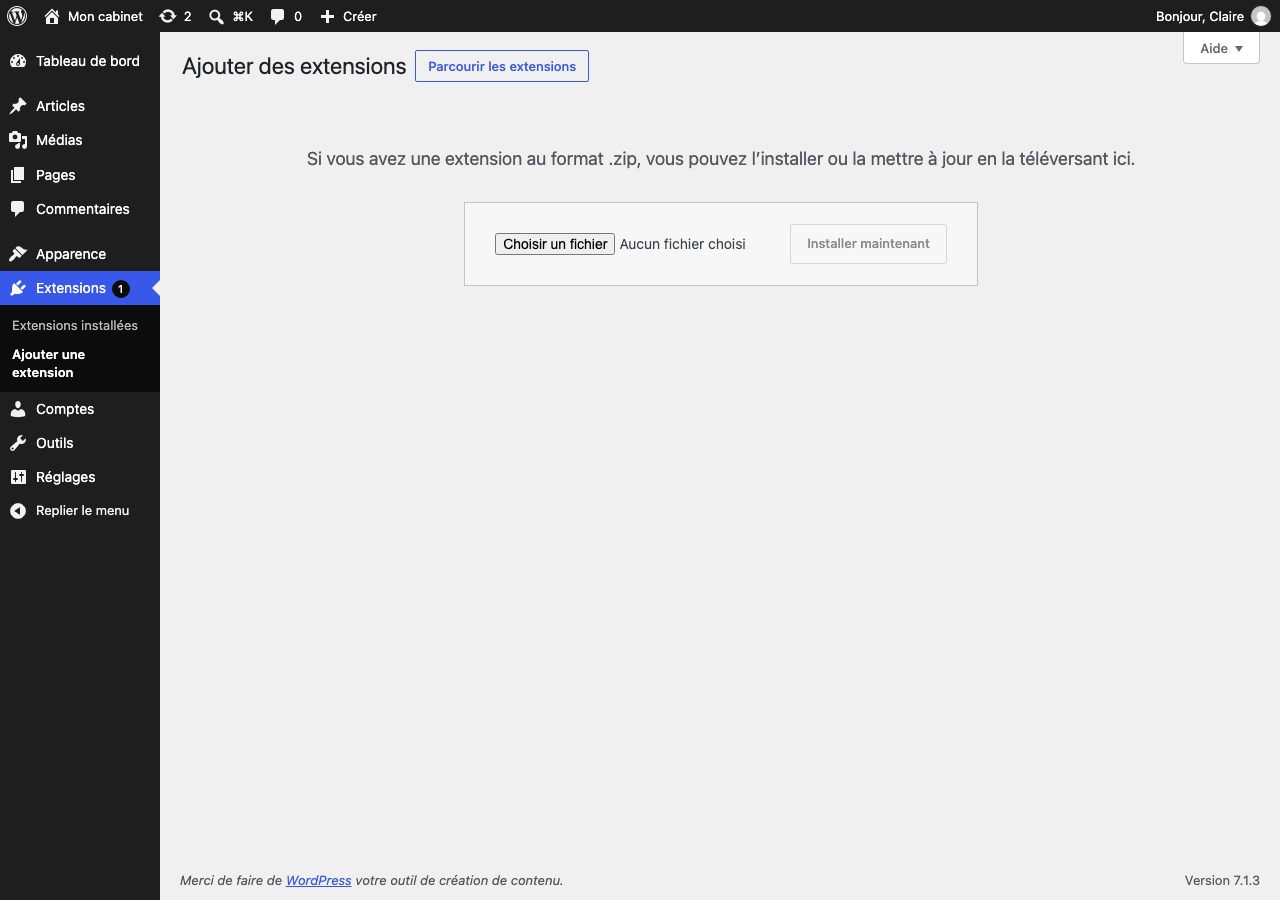
- In WordPress, go to Plugins, then Add New Plugin.
- Click Upload Plugin (at the top of the page), then Choose File.
- Pick the .zip file downloaded in step 1.
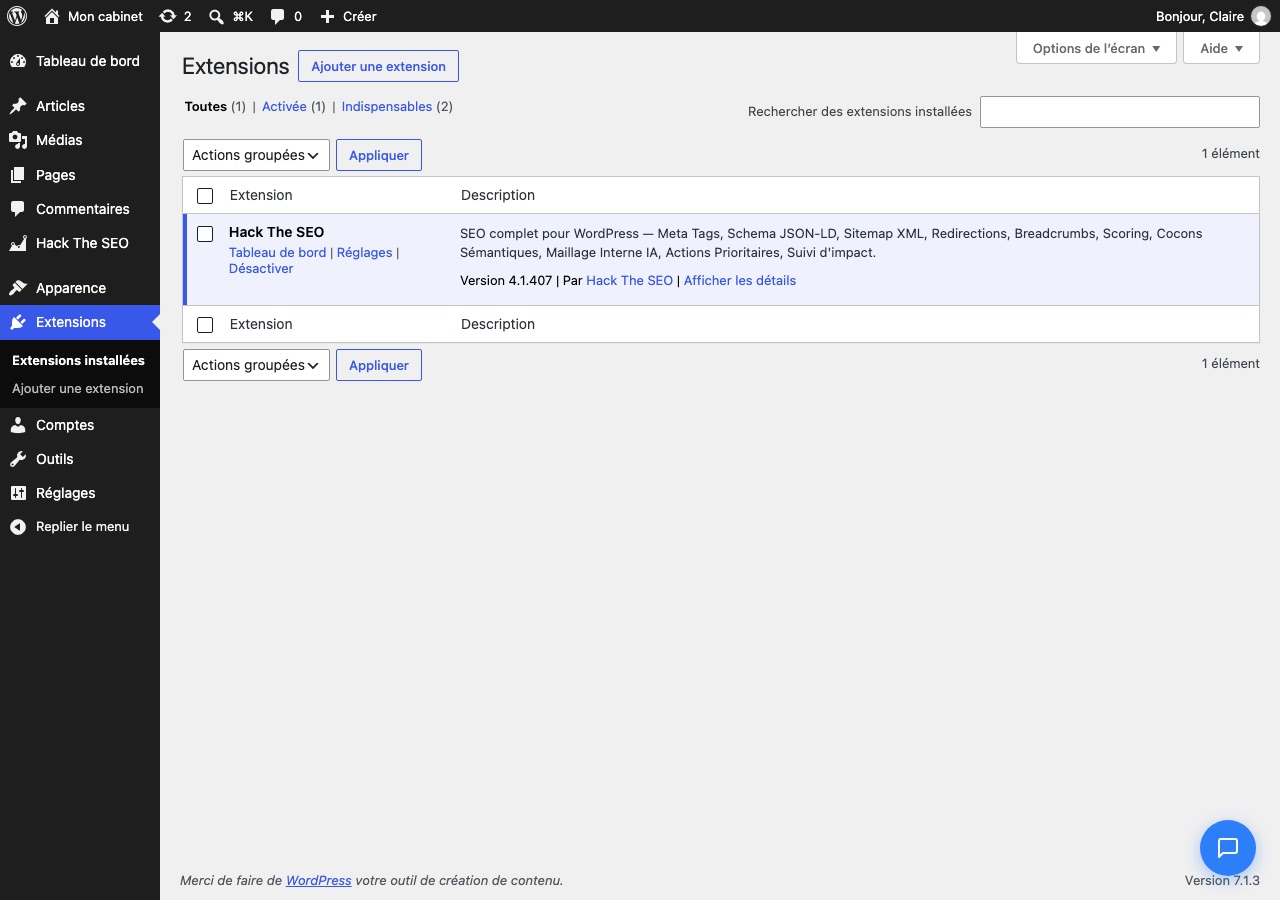
- Click Install Now, then Activate Plugin.
You are done when…Hack The SEO shows up in your list of plugins (second screenshot).
-
3
Paste your key
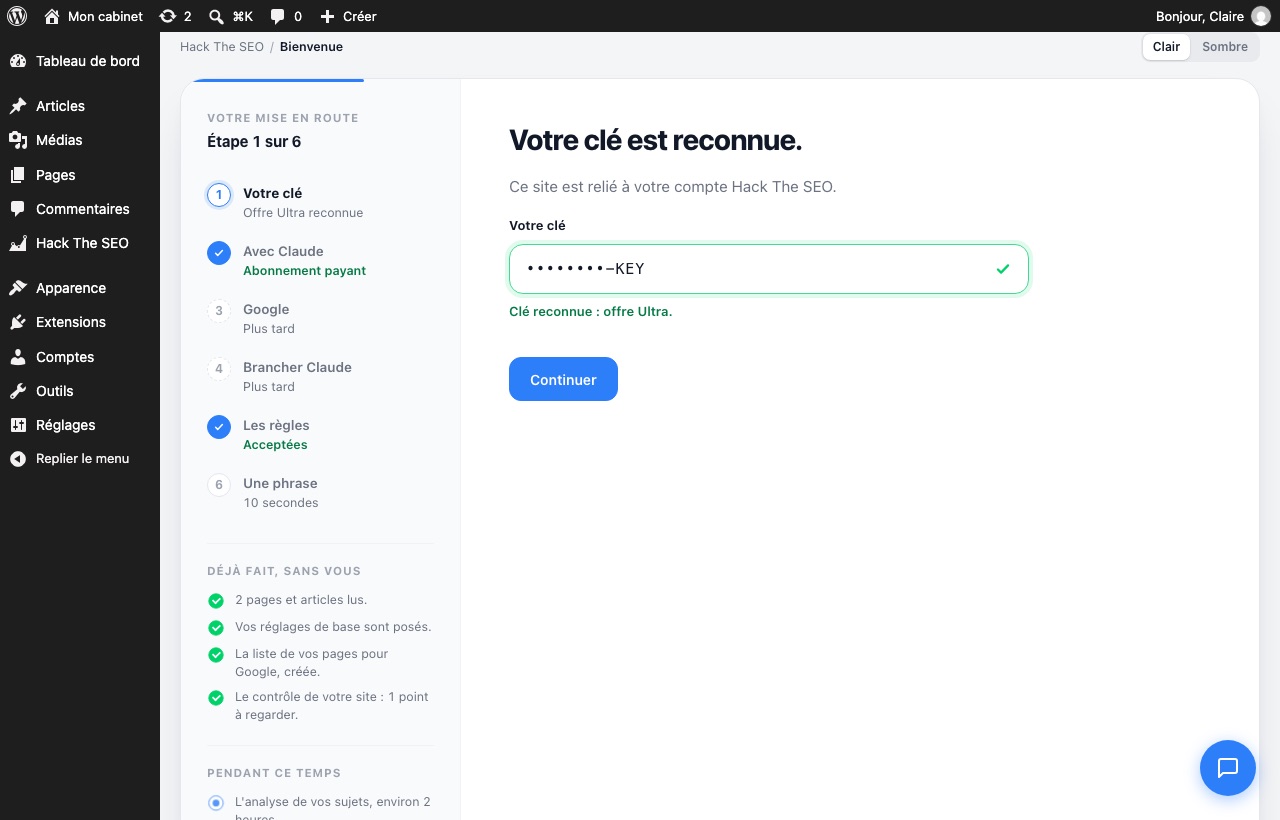
Right after activation, the Hack The SEO Démarrer screen (Get started) opens. It has 6 short steps, in the left column.
- Paste your key (copied in step 1) into the Votre clé field (Your key).
- Click Continuer (Continue).
The Démarrer screen did not open?Go back to the Installer le plugin page of your account and click the link that opens it.
-
4
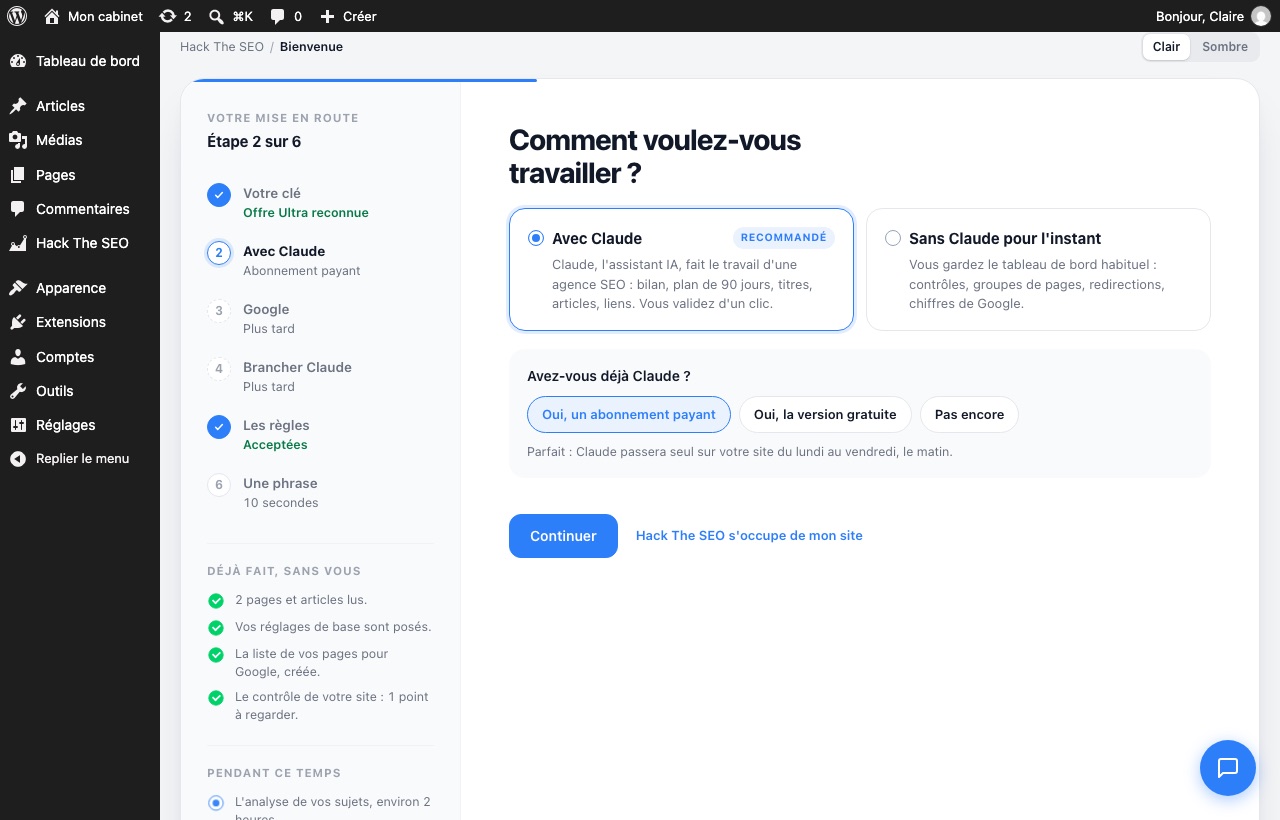
Choose "Avec Claude" (With Claude)
- Click Avec Claude (With Claude).
- Answer the question "Avez-vous déjà Claude ?" (Do you already have Claude?).
- Click Continuer (Continue).
-
5
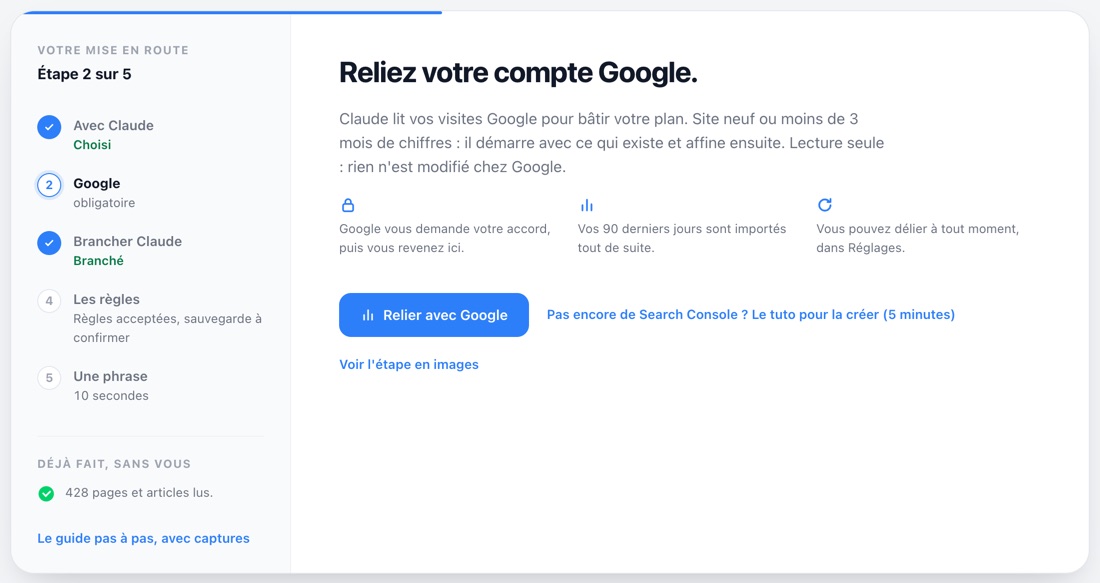
Connect Google (required)
Claude reads your Google visits to build your plan. New site, or less than 3 months of data: it starts with what exists and refines later. It only reads: nothing is changed on Google's side.
- Click Relier avec Google (Connect with Google).
- Choose the Google account that has access to your Search Console, then accept.
- If you are asked which site to follow, choose yours. You then come back to Hack The SEO on your own.
Your site has no Search Console yet?Set it up in 5 minutes with our tutorial: set up my Search Console. Then come back here to connect it.
-
6
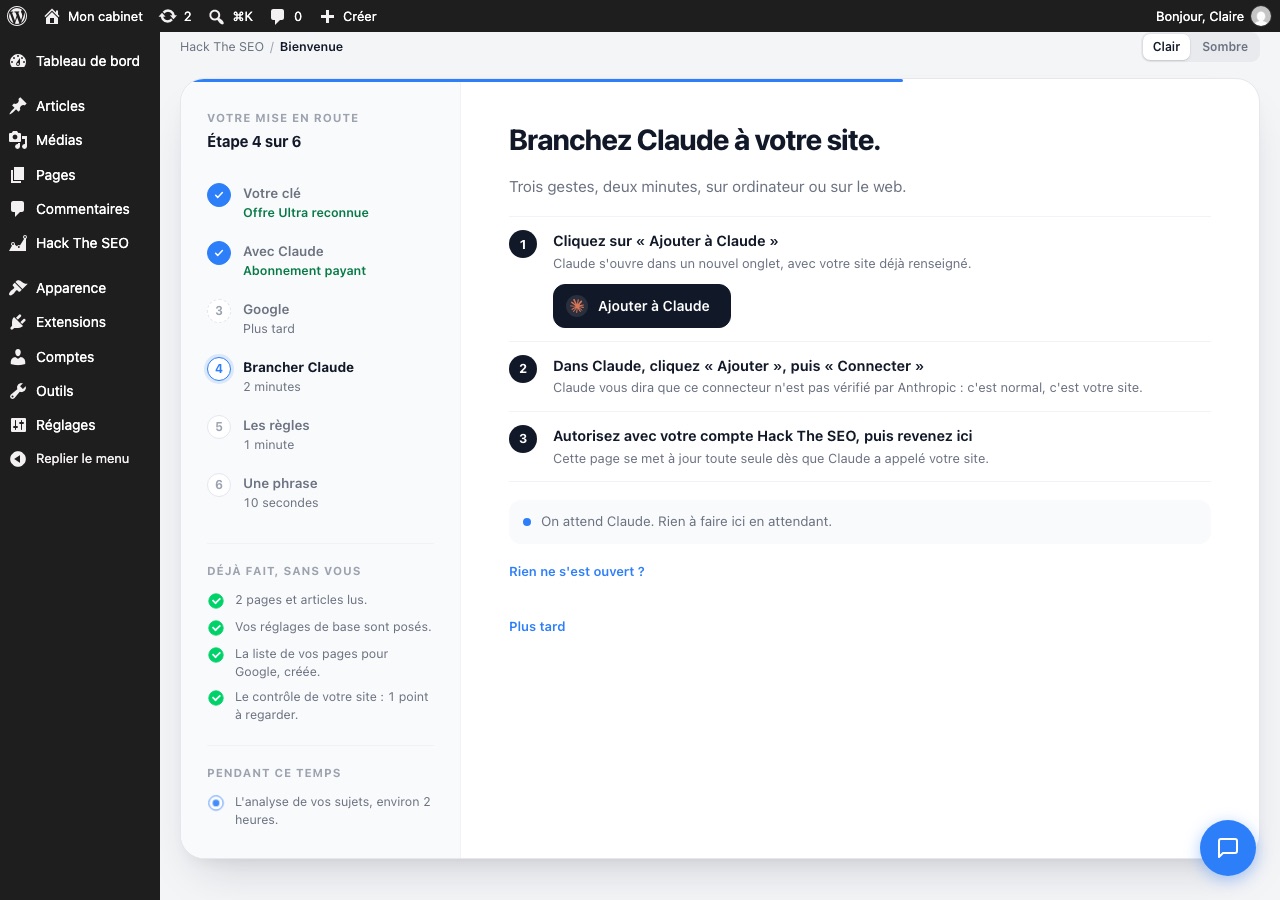
Connect Claude to your site
- Click Ajouter à Claude (Add to Claude). Claude opens in a new tab.
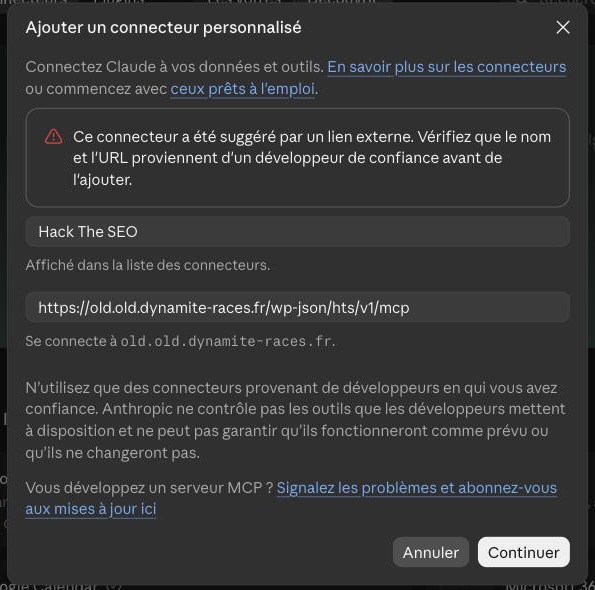
- In Claude, the name "Hack The SEO" and your site's address are already filled in. Click Continue, then Connect.
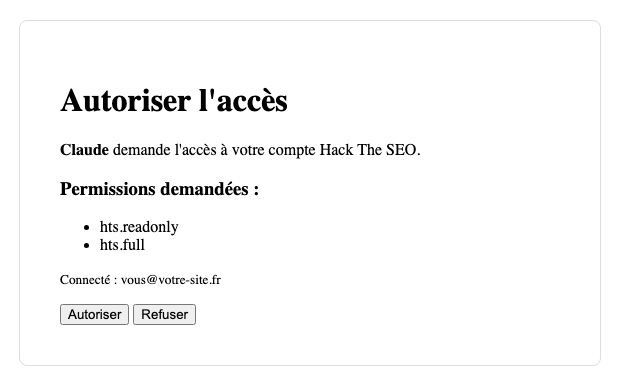
- A Hack The SEO page opens: log in with your Hack The SEO account and click Autoriser (Authorize) only once.
- Go back to WordPress: the page updates on its own.
Claude shows a warning?That is normal: it says the link comes from outside. The address is your own site's.
Nothing opened?In Claude: Customize, then Connectors, then Add custom connector. Name it "Hack The SEO" and paste the address the Démarrer screen gives you (its "Rien ne s'est ouvert ?" link, Copier button).
Your site must use https.That is the small padlock in the address bar. If not, your host can usually turn it on in one click.
-
7
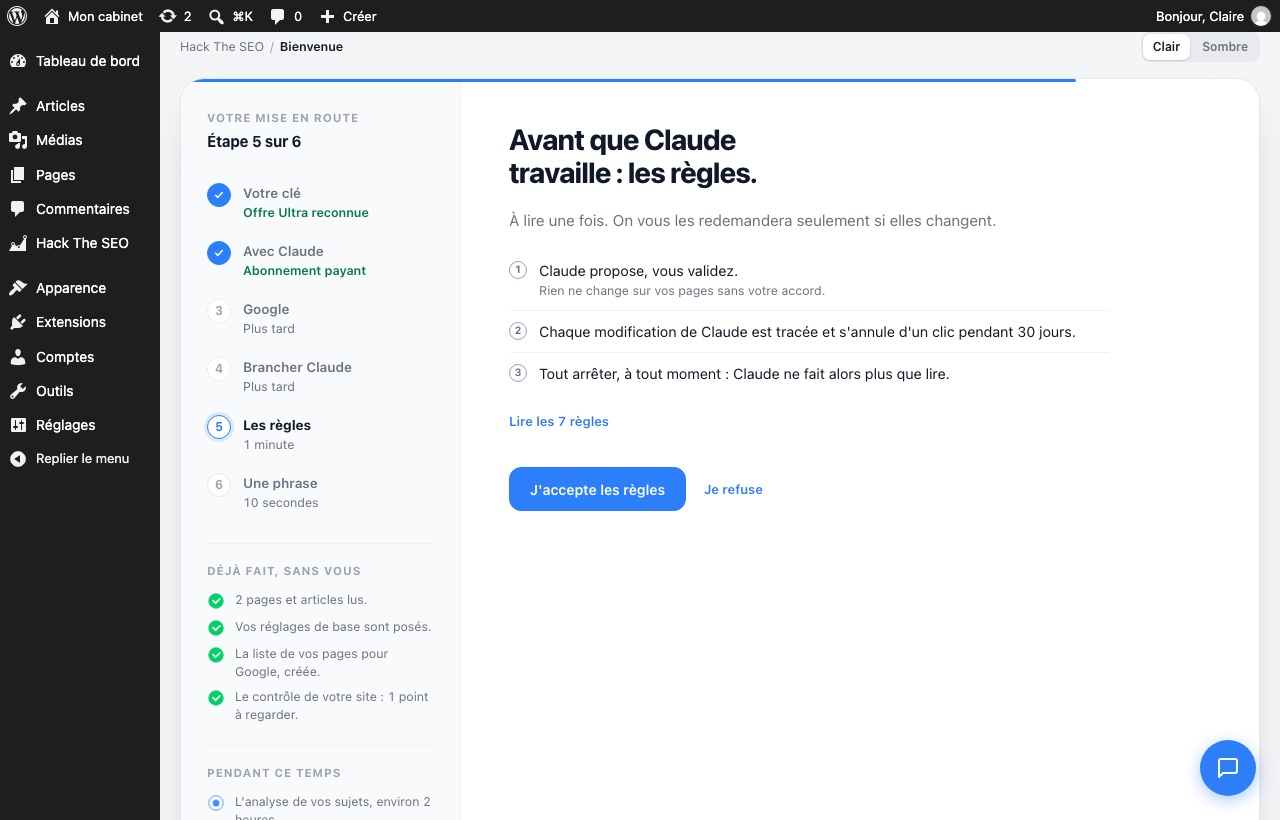
Accept the rules
Read them once. In short: Claude proposes, you approve. Every change is logged and can be undone in one click for 30 days. You can stop everything at any time.
- Click J'accepte les règles (I accept the rules).
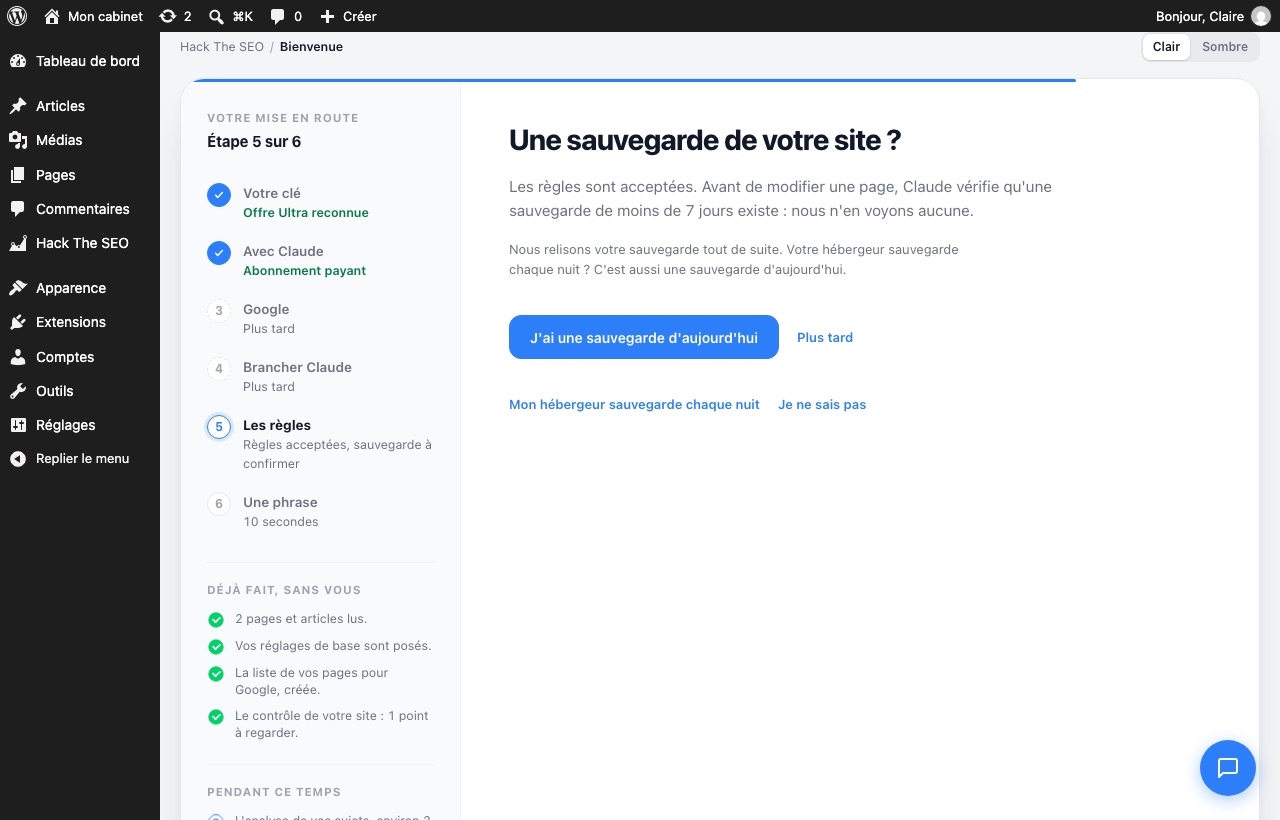
- You are then asked whether your site has a backup. Pick the answer that fits:
- J'ai une sauvegarde d'aujourd'hui (I have a backup from today)
- Mon hébergeur sauvegarde chaque nuit (My host backs up every night)
- Je ne sais pas (I don't know)
- or Plus tard (Later)
-
8
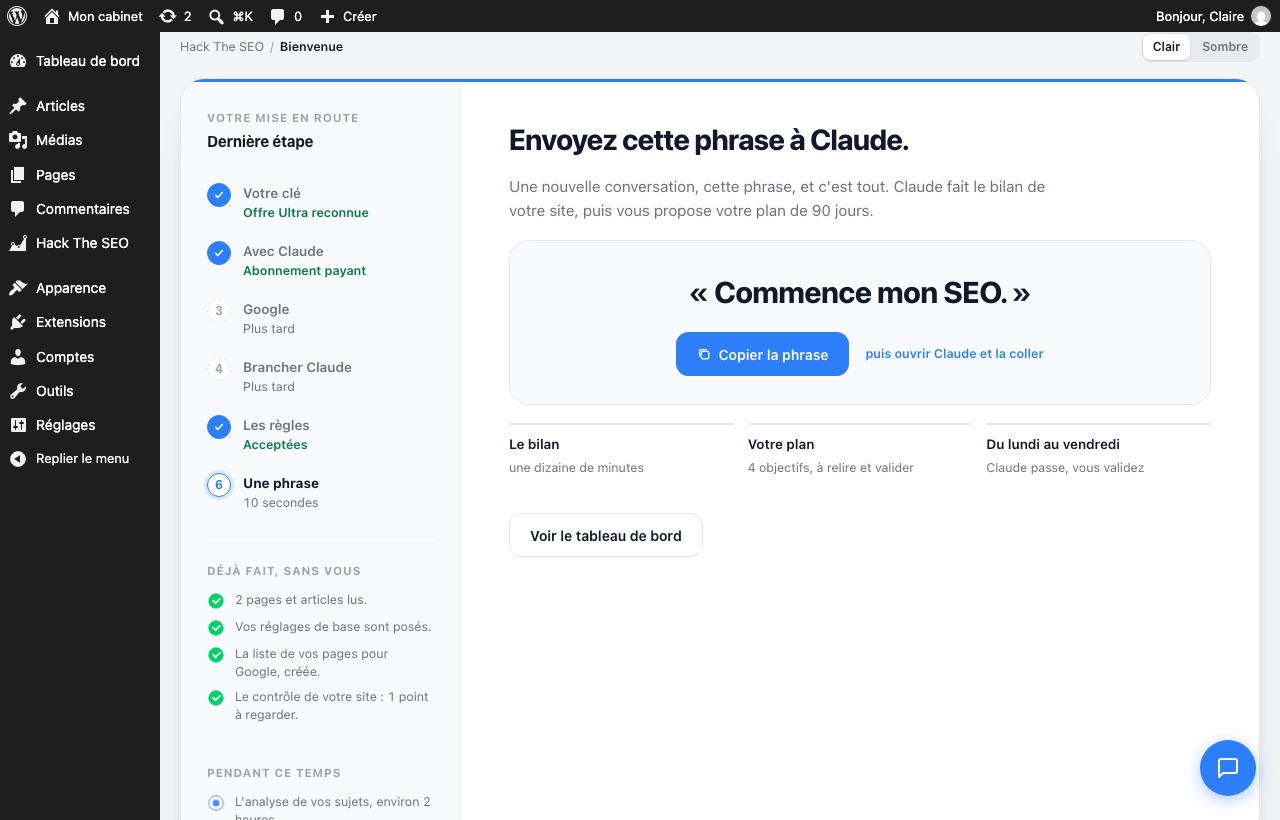
Send the sentence to Claude
- Click Copier la phrase (Copy the sentence), or the button below.
- Open Claude and start a new chat.
- Paste the sentence and send it.
Commence mon SEO.Good to know:the sentence is in French ("Start my SEO"). Claude then replies in your language.
-
9
Answer Claude's questions
Claude first goes through your site. Then it asks you a few short questions, one at a time: most of the time, you answer with a letter.
Allow about ten minutes. At the end, Claude shows you your review, your strategy and your 90-day plan, then sends it to your WordPress.
Need to stop halfway?Later, open a new chat and send the sentence below. Claude picks up where you left off.
On continue mon SEO.Question 2 of 6: what a customer is worth. On average, how much does a customer bring you?- A) less than €500
- B) €500 to €2,000
- C) more than €2,000
- D) I don't know
BType your answer… -
10
Approve your plan
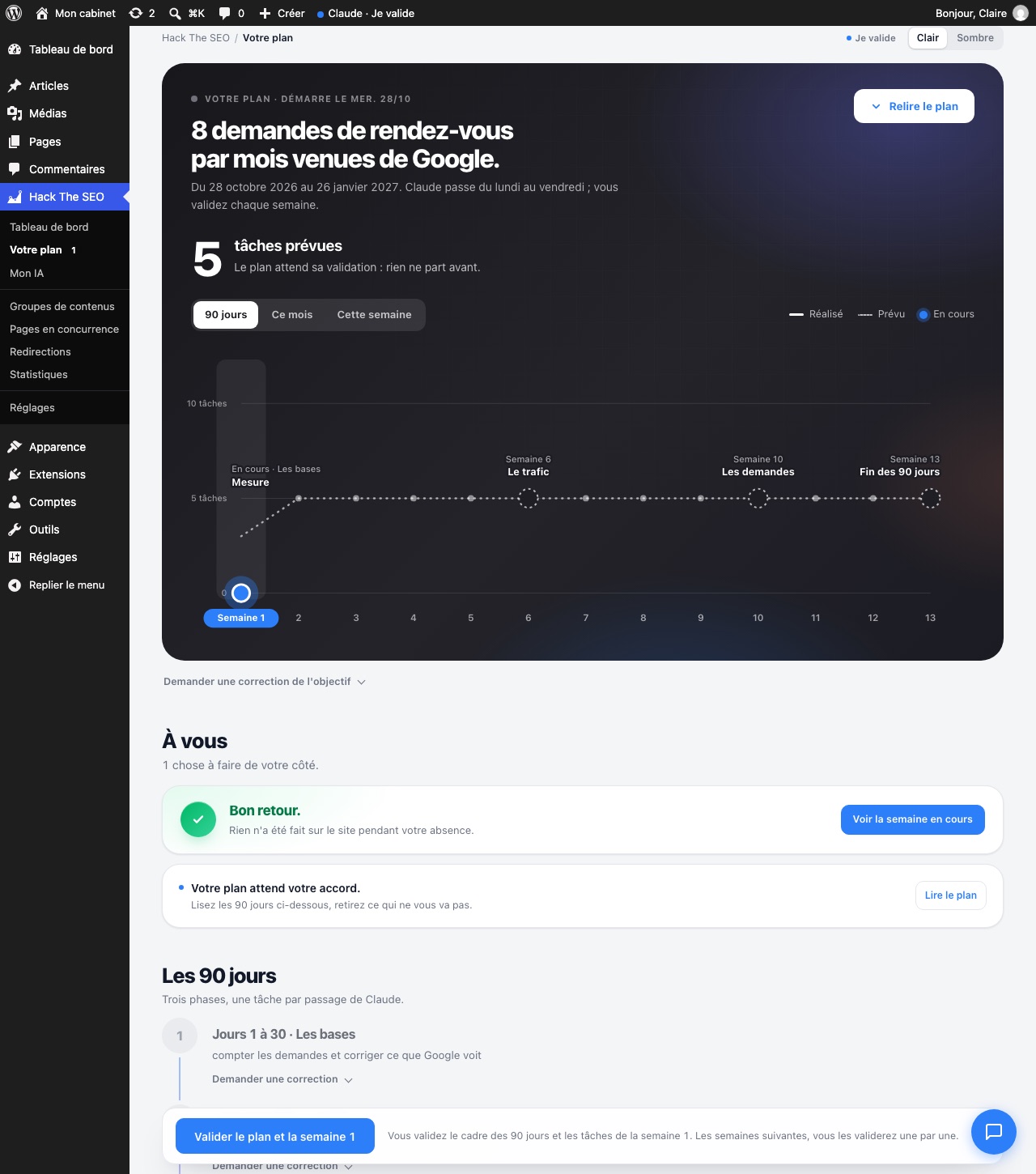
- In WordPress: Hack The SEO, then Votre plan (Your plan).
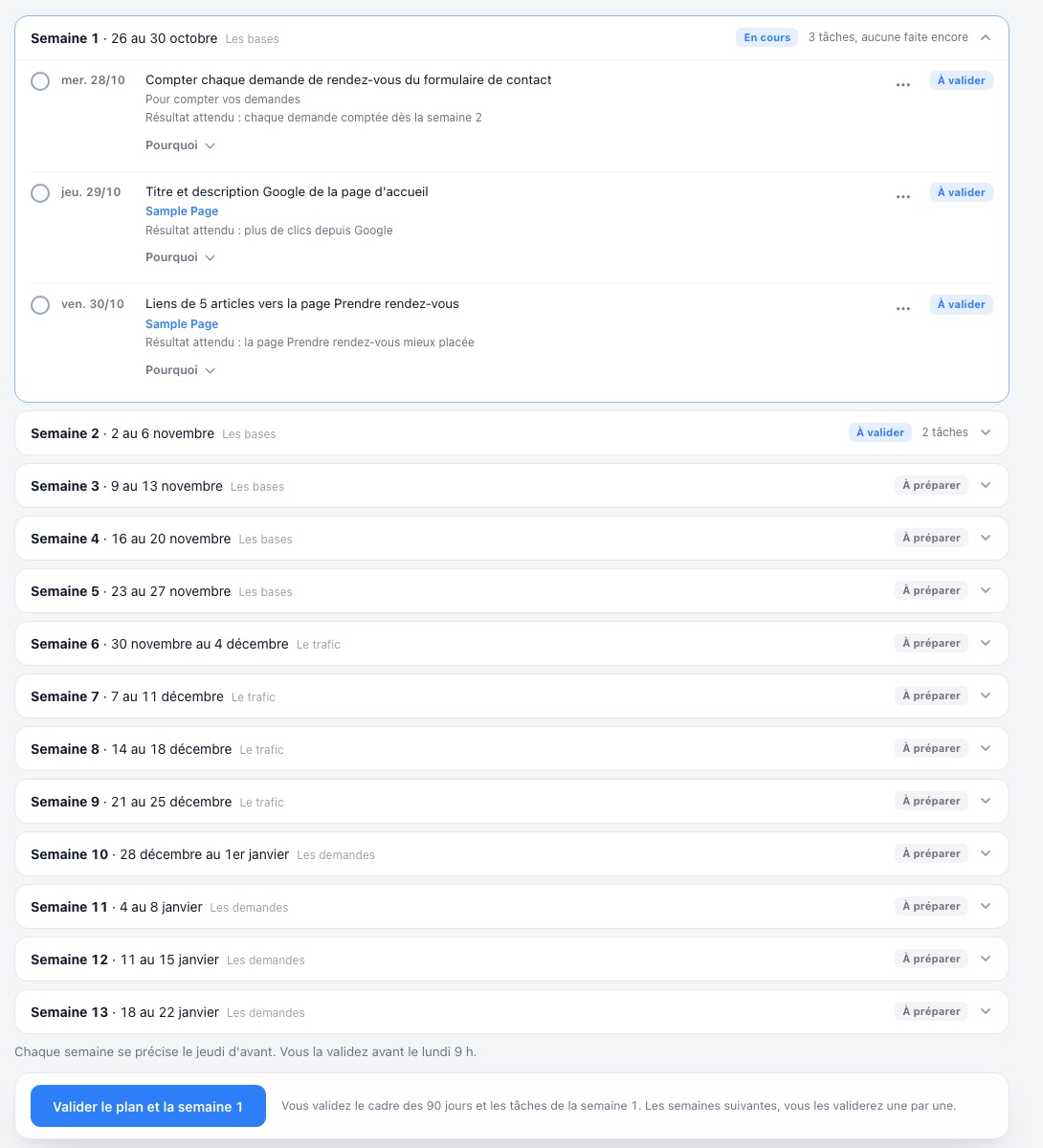
- Read the plan. Something doesn't suit you? Click Demander une correction (Ask for a correction) next to it.
- Click Valider le plan et la semaine 1 (Approve the plan and week 1). It sits below the list of weeks.
Then, every weekIt is prepared on Thursday. You approve it in one click before Monday 9 am. Nothing changes on your site without your click.
-
11
The morning run
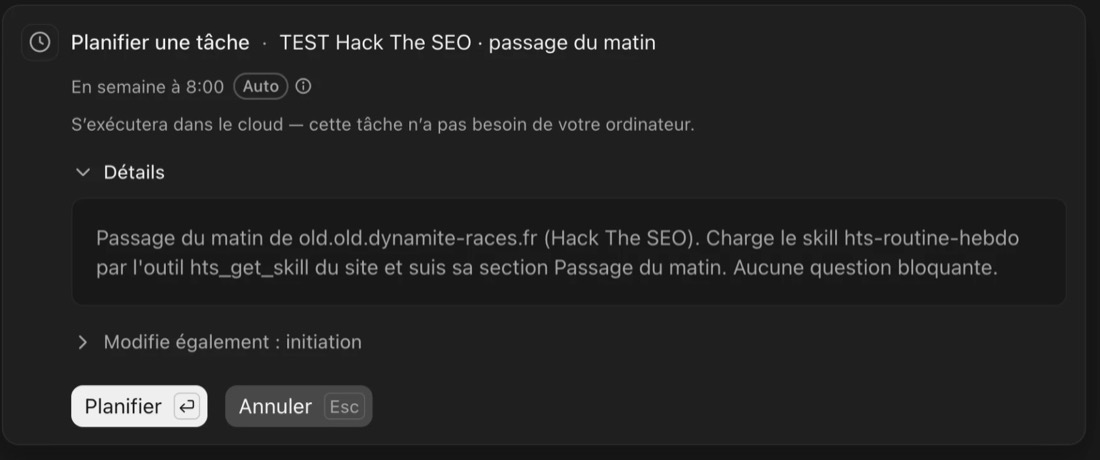
Claude works on your site Monday to Friday, in the morning, with one action each time.
Paid Claude planAt the end of setup, Claude gives you a ready-made message. Open Claude in Cowork mode and paste it: Claude sets up the task itself, Monday to Friday at 8 am. Click Planifier (Schedule). The task runs in the cloud: your computer can stay off. On the first run, when Claude asks for permission for Hack The SEO, click Always allow.
Free Claude planEvery weekday morning, open Claude and send:On continue mon SEO.
What next? One click a week.
Your only regular task: approve each week in one click, in Votre plan (Your plan). Claude sends you a short report after every run.
Talk soon, the Hack The SEO team