Search Console tutorial
Set up your Search Console in 5 minutes
Search Console is Google's free tool that shows how people find your site. Claude reads it to build your plan. Four steps, without touching your site's code.
- 5 minutes
- Free, from Google
- Claude only reads it
First, your situation
- You already have oneNothing to create: connect it right away, step 5 of the guide.
- An agency runs your siteAsk them to add you as a user of their Search Console (full access), with your Google address, then connect it.
- Your site is newCreate it anyway. Google has no data yet, and that is normal: Claude starts with what exists and refines later.
None of these steps changes how your site looks.
The 4 steps
Keep two tabs open: Search Console and your WordPress.
-
1
Add your site to Google
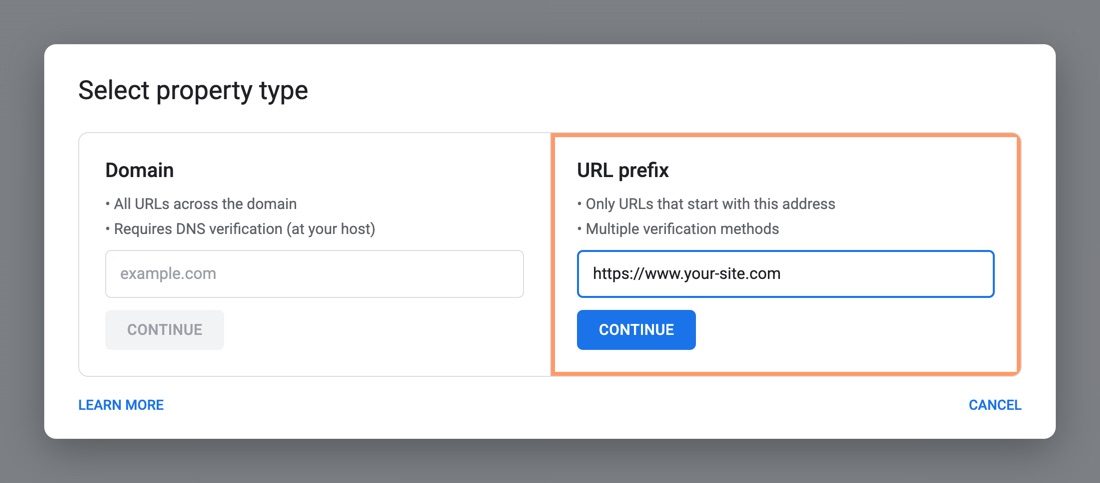
Open Search Console with your Google account, click Add property, choose URL prefix, paste your site's address and click Continue.
To get the exact addressOpen your site's home page and copy the address from the browser bar, https:// included.
-
2
Copy Google's code
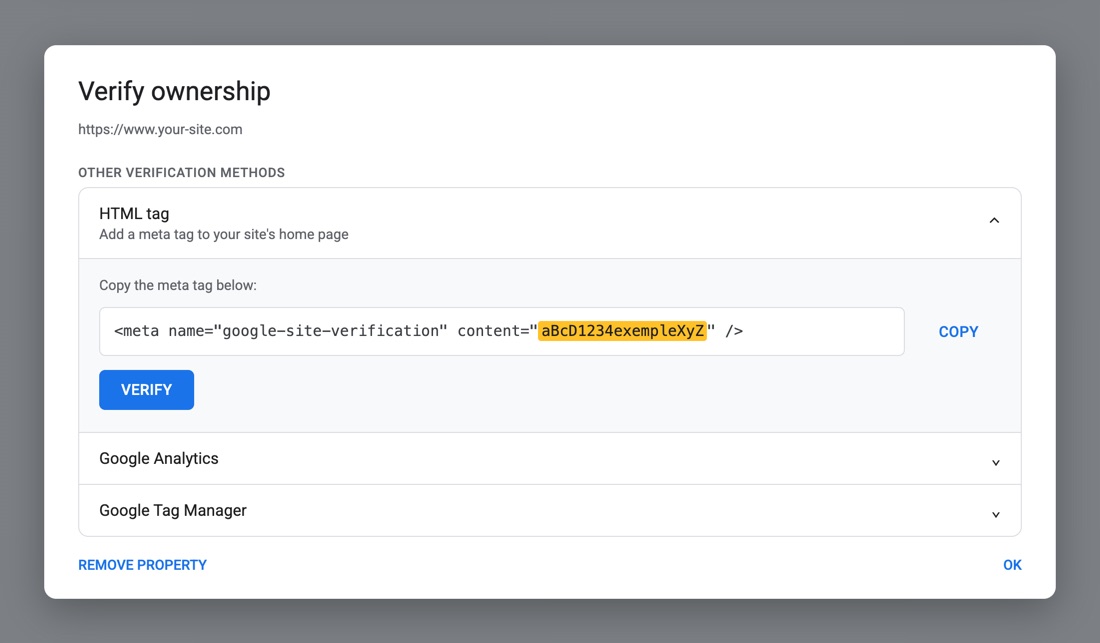
Open HTML tag and copy only the code between the quotes after content= (in yellow in the picture), not the rest of the line.
Keep this window open.You come back to it in step 4 to click Verify.
-
3
Paste it into Hack The SEO
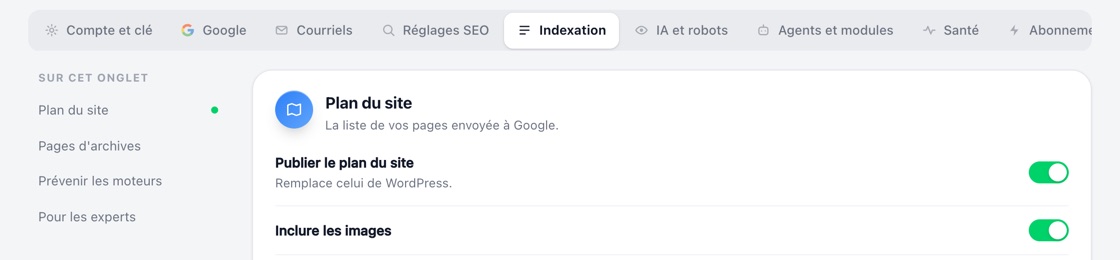
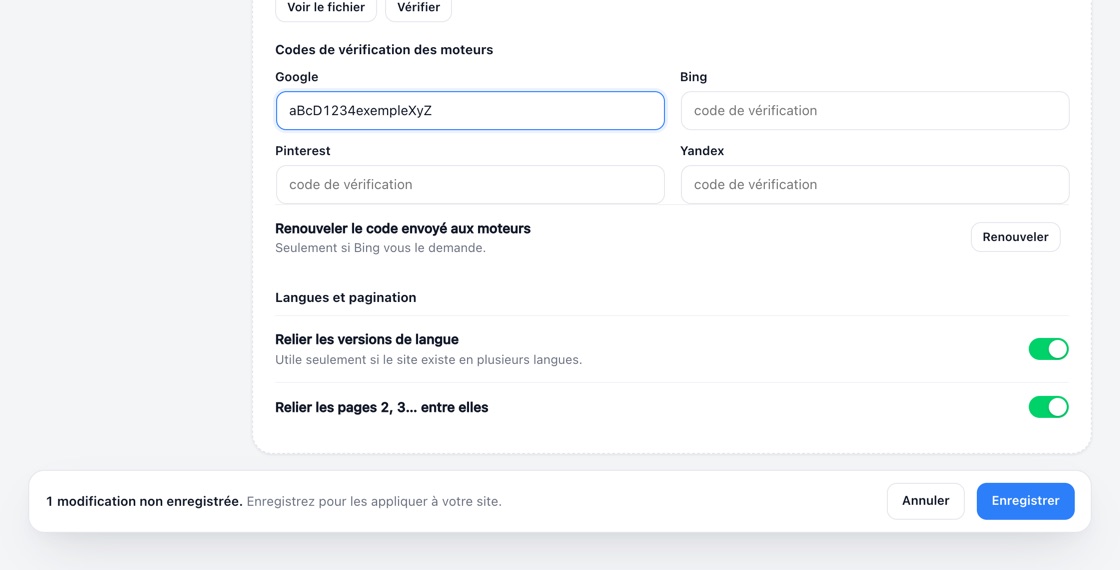
In WordPress, open Hack The SEO, Réglages (Settings), tab Indexation, then Pour les experts (For experts): paste the code into the Google field under “Codes de vérification des moteurs” (search engine verification codes) and click Enregistrer (Save).
It worked when…the bottom bar disappears after you save: the code is now on your home page, invisible to your visitors.
-
4
Verify, then connect Google
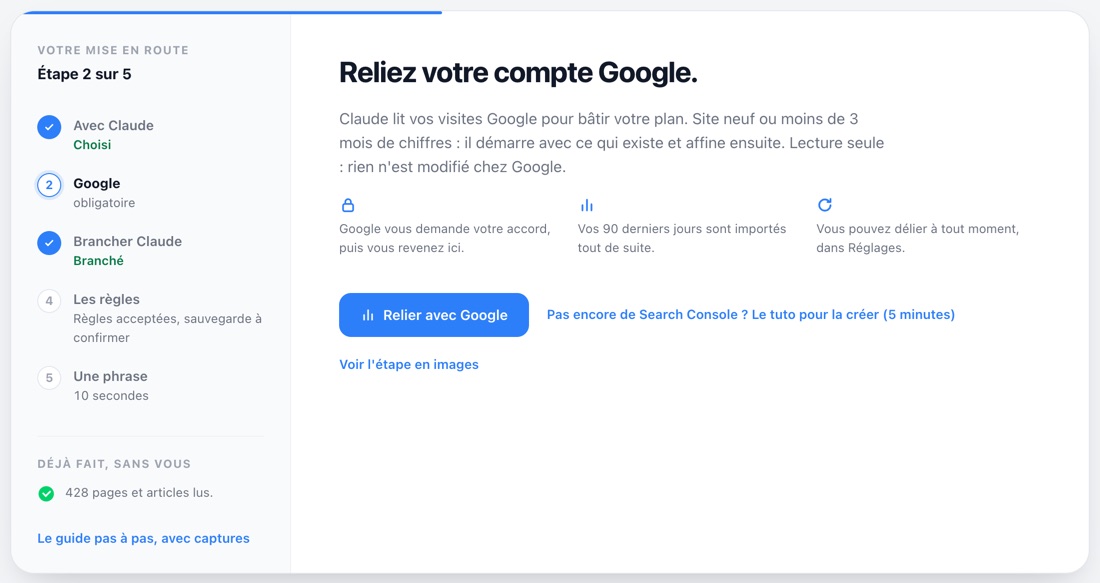
Go back to Search Console and click Verify, then in Hack The SEO click Relier avec Google (Connect with Google, on the Démarrer screen or in Réglages, Google tab) and choose that same account.
Google says “Verification failed”?If your site uses a cache plugin, clear the cache, wait a minute and click Verify again.
Done? Back to the guide.
Your Search Console is ready. Pick up the getting started guide at step 5, Connect Google: Claude will read your data without changing anything on Google's side.
Talk soon, the Hack The SEO team